AI Audio Research

Every game sound is a WAV file somebody recorded. What if AI made them on the fly instead? I built a prototype. Every model was too slow. Then caching changed the question.

Role Solo Researcher
Type Bachelor Thesis
Year 2025 - 2026
Institution Howest DAE
Supervisor De Meulemeester Roel
Coach Van der Kelen Cedric
Unreal Engine 5 C++ Python PyTorch WebSocket AudioGen MMAudio ElevenLabs API CUDA

What I Tested and Why

Here's the thing about game audio: every gunshot, footstep, and explosion is a WAV file somebody recorded. A big game ships with thousands of them. Gigabytes of "sword hits metal." What if AI could generate these on the fly? Every hit would sound different. No more shipping audio banks the size of a movie. That's the dream. The problem is timing. Games run at 60fps - 16.7ms per frame. If a gunshot arrives 100ms after you pull the trigger, players feel it. I wanted to measure exactly how far off we are.

Unreal Engine 5 talks to a Python backend over WebSocket. Python loads the AI models, juggles VRAM on an 8GB GPU, and sends back raw PCM audio. I tested five approaches: procedural DSP (just math, instant but sounds like a ringtone), AudioGen (Meta's text-to-audio), MMAudio in two sizes (a video-to-audio model I hacked to accept text prompts), and ElevenLabs (cloud API, sounds great, latency is a lottery). I also tried TangoFlux - it wouldn't even start. Missing CUDA kernels for my RTX 5070's Blackwell chip. Wasted two days on that.

24 prompts. 5 sound categories - footsteps, impacts, UI clicks, ambience, music. Every prompt tested with all 5 methods, repeated 5 times. 600 generations total. Then 500 stress-test attempts per method to see how often things just break.

Unreal Engine 5
C++ Client
Python Backend
WebSocket + VRAM Manager
AI Models
Local GPU + Cloud API
PCM Cache
Memory + Disk (500MB)

Prototype in Action

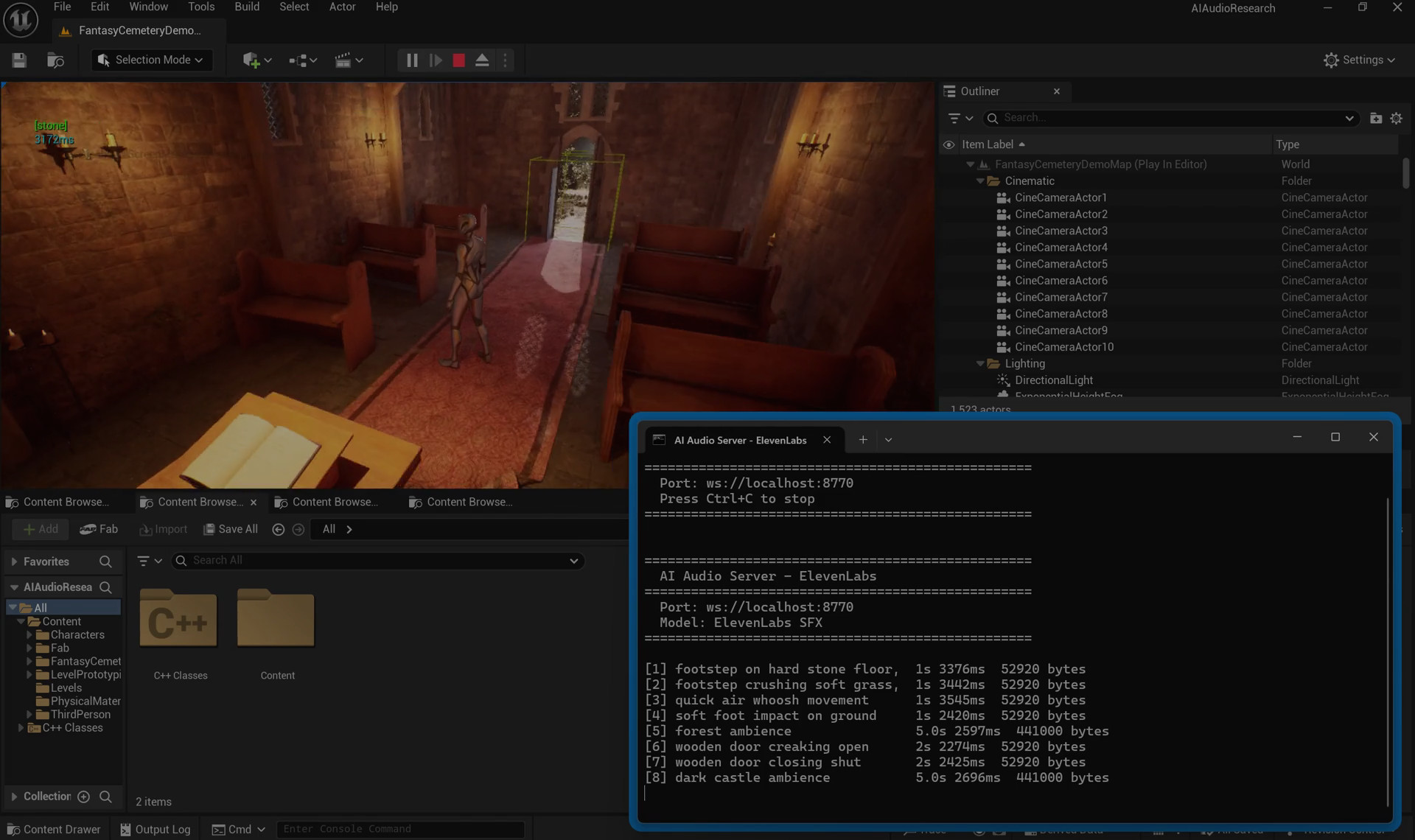
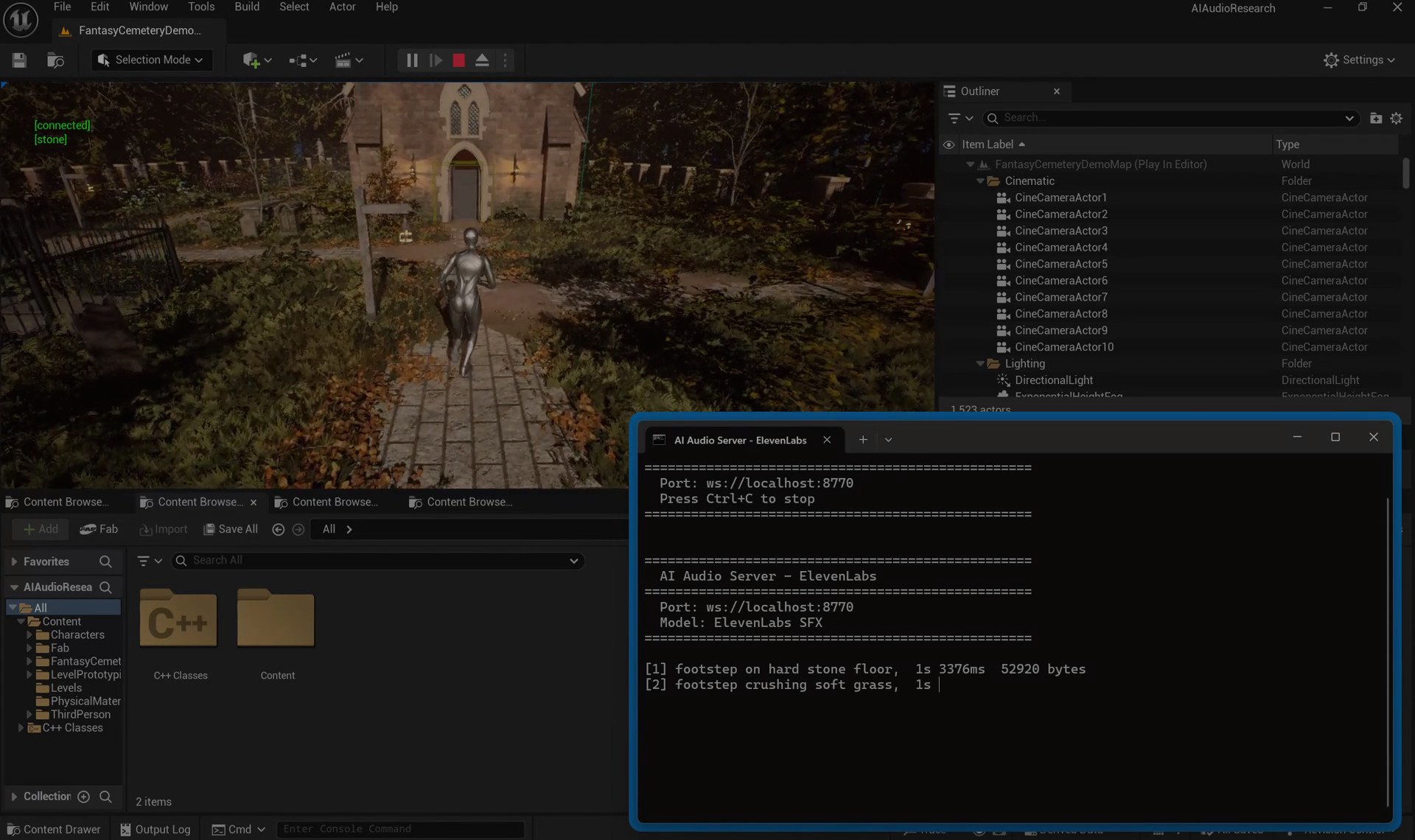
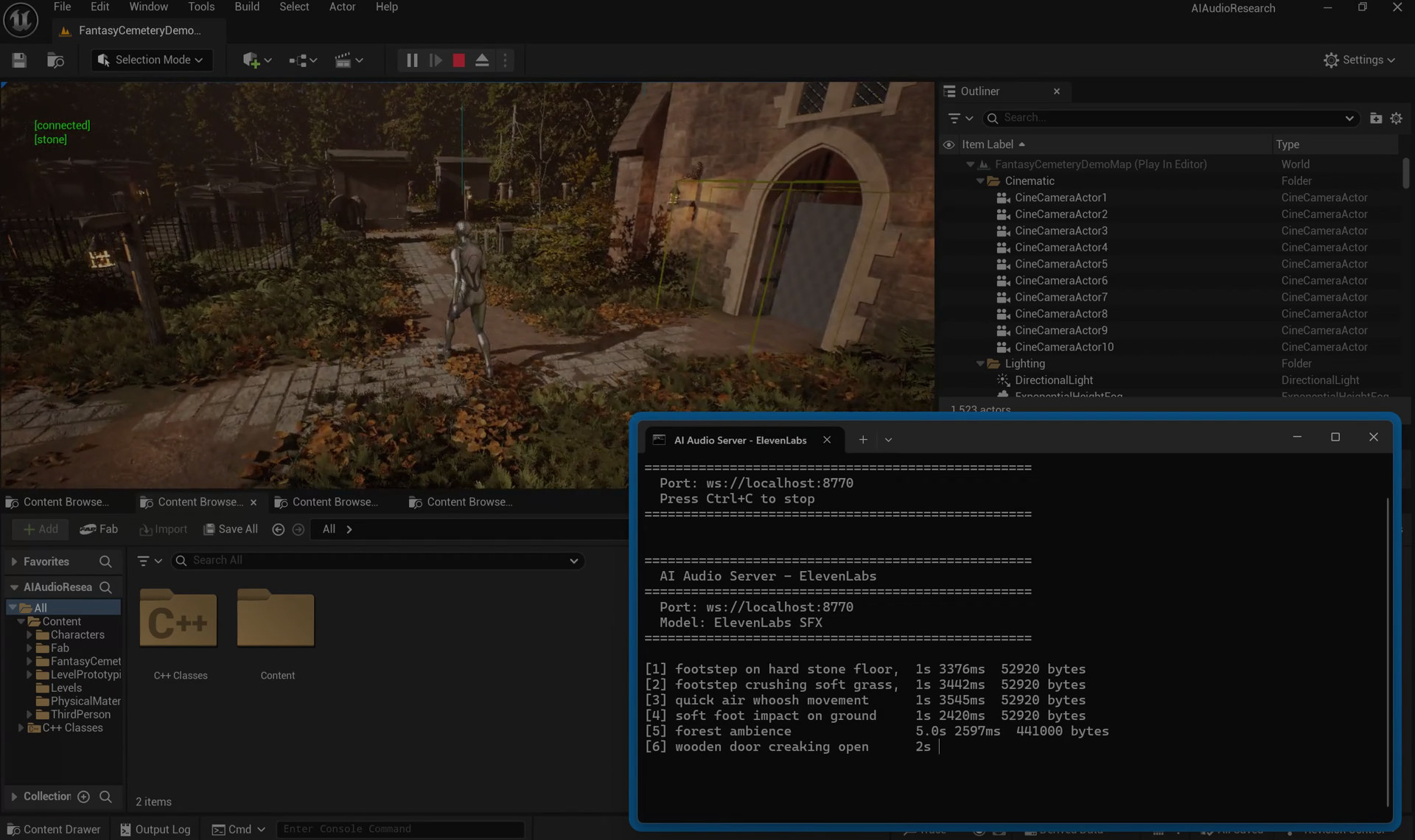
Walking around in UE5. Every footstep and ambient sound is AI-generated, served from cache.

The Python backend. Model loading, VRAM juggling, cache hits and misses in real time.

Every Model Failed

Procedural DSP

15 - 25ms end-to-end
Quality: 2.4/5 · 0% failure rate

No GPU, no network, just math. The only method that actually hits the latency target. Sounds like a 2005 Flash game, but it never fails and never lags. That reliability is why it's the fallback - when AI models crash or get busy, procedural DSP keeps the game from going silent.

AudioGen

2,100 - 2,800ms end-to-end
Quality: 3.6/5 · 2.4GB VRAM · 9.2% failure rate

Meta's text-to-audio model. Most reliable of the local models - generation times don't jump around much. Cold start adds another 1-2 seconds. The output is "reliable but plain" - fine for wind, rain, ambient stuff. Not great for anything with sharp transients. Good enough for prototyping, not good enough to ship.

MMAudio Large

2,600 - 3,400ms end-to-end
Quality: 3.9/5 · 3.1GB VRAM · 13.8% failure rate

Best sounding of everything I ran locally. Good textures, less synthetic than AudioGen. But it eats 3.1GB of VRAM - nothing else fits alongside it. Every model swap costs 2-4 seconds. And the duration control is broken: ask for 1 second, sometimes get 3. Worth the hassle for impacts and cinematic moments where quality matters more than speed.

MMAudio Small

1,400 - 1,900ms end-to-end
Quality: 3.5/5 · 1.8GB VRAM · 7.2% failure rate

The sweet spot. Faster than Large, still sounds decent. At 1.8GB it actually shares VRAM with AudioGen - no swapping. The real trick: it's the only model that generates faster than playback for 10-second clips (RTF < 1.0). That means it can stream ambient audio in real time. If I had to ship a game with one model, this is the one.

ElevenLabs Cloud

1,800 - 3,500ms end-to-end
Quality: 4.3/5 · 0GB VRAM · 4.8% failure rate

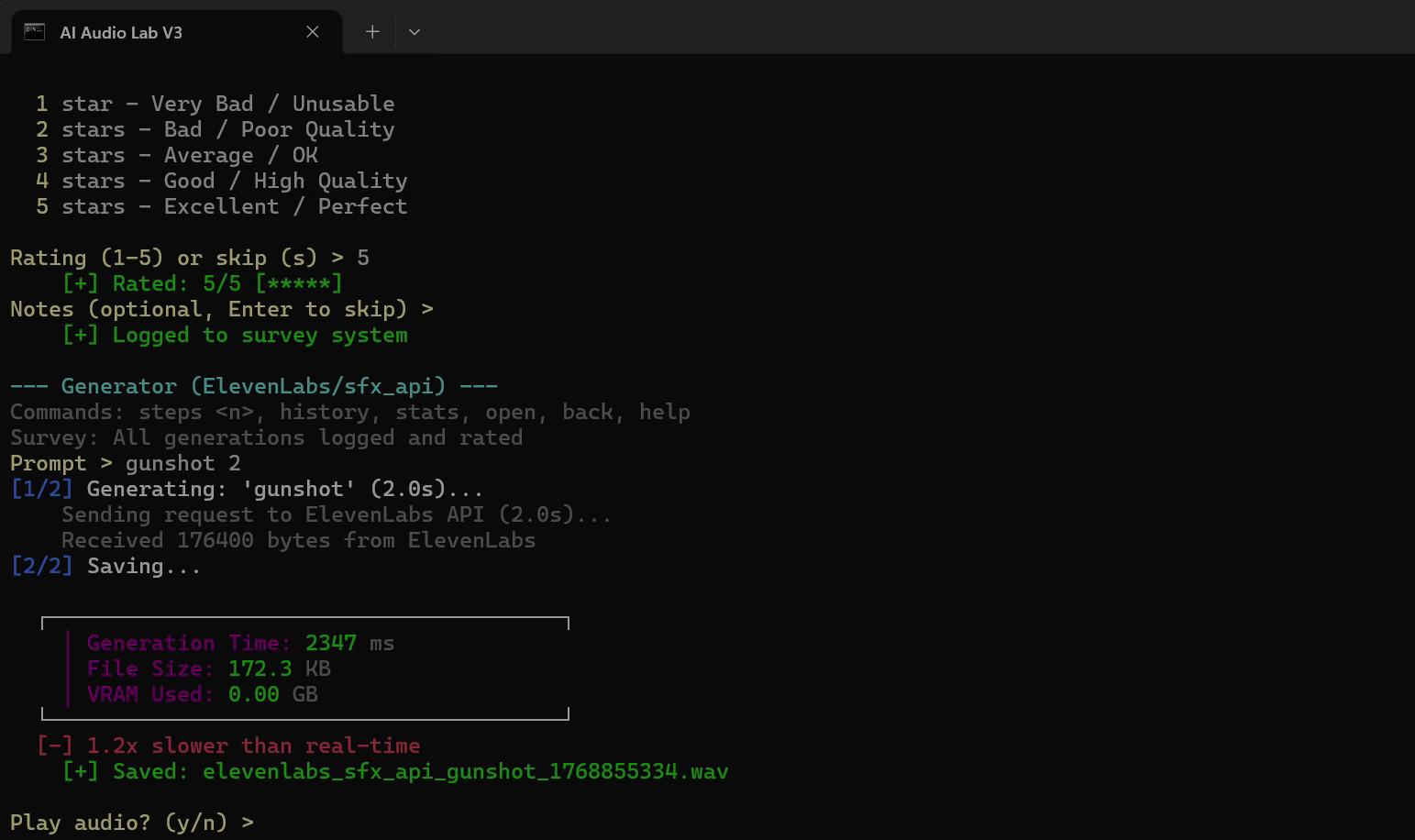
Sounds the best by a clear margin. Sharp transients, clean output - the only model where the result sometimes sounds like a real recording. But the latency is a coin flip: 1.8 seconds on a good day, 3.5 on a bad one. No GPU needed, but you need internet. Best for stuff you can pre-generate overnight: cutscene effects, signature weapon sounds, trailer audio.

Then I Looked at the Cache Logs

Every model failed the speed test. The fastest local model (MMAudio Small) still needed 1,400ms. That's 85x slower than a single game frame. I'd added caching early on just to stop regenerating the same sound over and over. Then I looked at the delivery times in the logs: 35-90ms. Wait. That's fast enough.

A footstep that takes 2,400ms to generate? Unplayable. That same footstep served from cache? 45ms. Predicted before the player moves? Under 10ms from the engine buffer. A UI click drops from 1,800ms to 35ms. Ambience goes from 3,200ms down to 120ms on cache hit. Without caching: 1,400-3,500ms. With it: 35-90ms. A 95-98% reduction. The models weren't the answer. The cache was.

So I stopped trying to make AI faster and started asking a different question: when should you generate? Loading screens. Zone transitions. Quiet moments when the player is in a menu. Generate the footsteps before the player starts walking. By the time they move, the sound is already in memory. Nobody notices.

The fastest model was still 85x slower than a game frame. Caching made it irrelevant.

Every generated sound gets stored in memory, keyed by a SHA-256 hash of the prompt. Same request next time? Instant. Then client-side DSP (pitch shift, volume, reverb, filtering) turns one cached sample into 10+ variations. One gunshot becomes a whole magazine of different-sounding shots.

Right now this works for prototyping, ambient audio, and slower-paced games where you can predict what the player will hear next. It does not work for competitive shooters where every millisecond matters. And it does not work on mobile - no GPU, no inference.

How Caching Works

01

Pre-Generation

Player hits a loading screen? Generate the sounds they'll need in the next area. Walking into a new zone? Same thing. Use the downtime.

02

Prompt Hashing

SHA-256 hash of normalized prompt + model + duration + sample rate. Same request always hits the same cache entry.

03

Cache Hit

Sound plays from PCM cache in 35-90ms. Client-side DSP adds variation: pitch shift, filtering, reverb, volume randomization.

04

Background Refill

After a sound plays, a new variation generates quietly in the background. Old entries get kicked when memory hits 500MB. Disk cache sticks around between sessions.

What I Had to Solve

Game Thread Bottleneck

What Was Hard

Unreal only lets you create USoundWave on the Game Thread. WebSocket callbacks arrive on a background thread. Try to create a SoundWave from the callback? Instant crash. No error, no warning, just gone.

What I Did

Used FFunctionGraphTask to push PCM data to the Game Thread. Tested with 50+ sounds arriving at once - no crashes.

VRAM Budget Management

What Was Hard

8GB of VRAM. UE5 takes 4-5GB just for rendering. That leaves maybe 3GB for AI. Only AudioGen + MMAudio Small fit together - everything else needs swapping.

What I Did

Built a VRAM manager that checks free memory via NVML, kicks out whoever hasn't been used recently, and loads what you need. Swap takes 2-4 seconds. For frequently used models, "sticky mode" keeps them resident.

Failure Handling

What Was Hard

These models fail 5-14% of the time. Sometimes the output is silence. Sometimes CUDA runs out of memory mid-generation and everything dies. A game can't freeze when that happens.

What I Did

Built a fallback chain: retry with a different seed, try a different model, play procedural DSP, or skip the sound entirely. A bad sound right now beats a perfect sound 3 seconds from now.

The Bleeding Edge Penalty

What Was Hard

TangoFlux was supposed to be the fast one. It didn't even start. PyTorch 2.4 with CUDA 12.4 had no compiled kernels for the RTX 5070's Blackwell chip (sm_120).

What I Did

Tried building from source. Hit Windows toolchain issues. Two days gone. The lesson: if you're making a game, don't use models released last month. Bleeding-edge research code breaks on real hardware.

Bachelor Thesis · 68 Pages

Read the Full Paper

The full thesis - all the benchmarks, what failed, what worked, and what I'd do differently.

Read Paper

The Short Answer

Raw AI: No. Every model exceeds 150ms on first generation. Most take seconds.

With caching: Yes. Cache hits land at 35-90ms. Players don't notice.

With prediction: Yes. If you know the sound before the player needs it, delivery is under 10ms from the engine buffer. Feels instant.

No single model wins. Procedural DSP is fast but sounds fake. ElevenLabs sounds great but the latency is a dice roll. The real answer: mix them. Right model for the right sound. Cache everything. Always have a fallback ready for when things break - because they will.